Meshtastic: Building a Truly Decentralized, Off-Grid Communication Network
Category
Decentralized Networks
Explore more in this category
A deep dive into Meshtastic — the open-source LoRa mesh network that lets you send encrypted text messages and GPS positions for kilometers without cell towers, internet, or any centralized infrastructure.
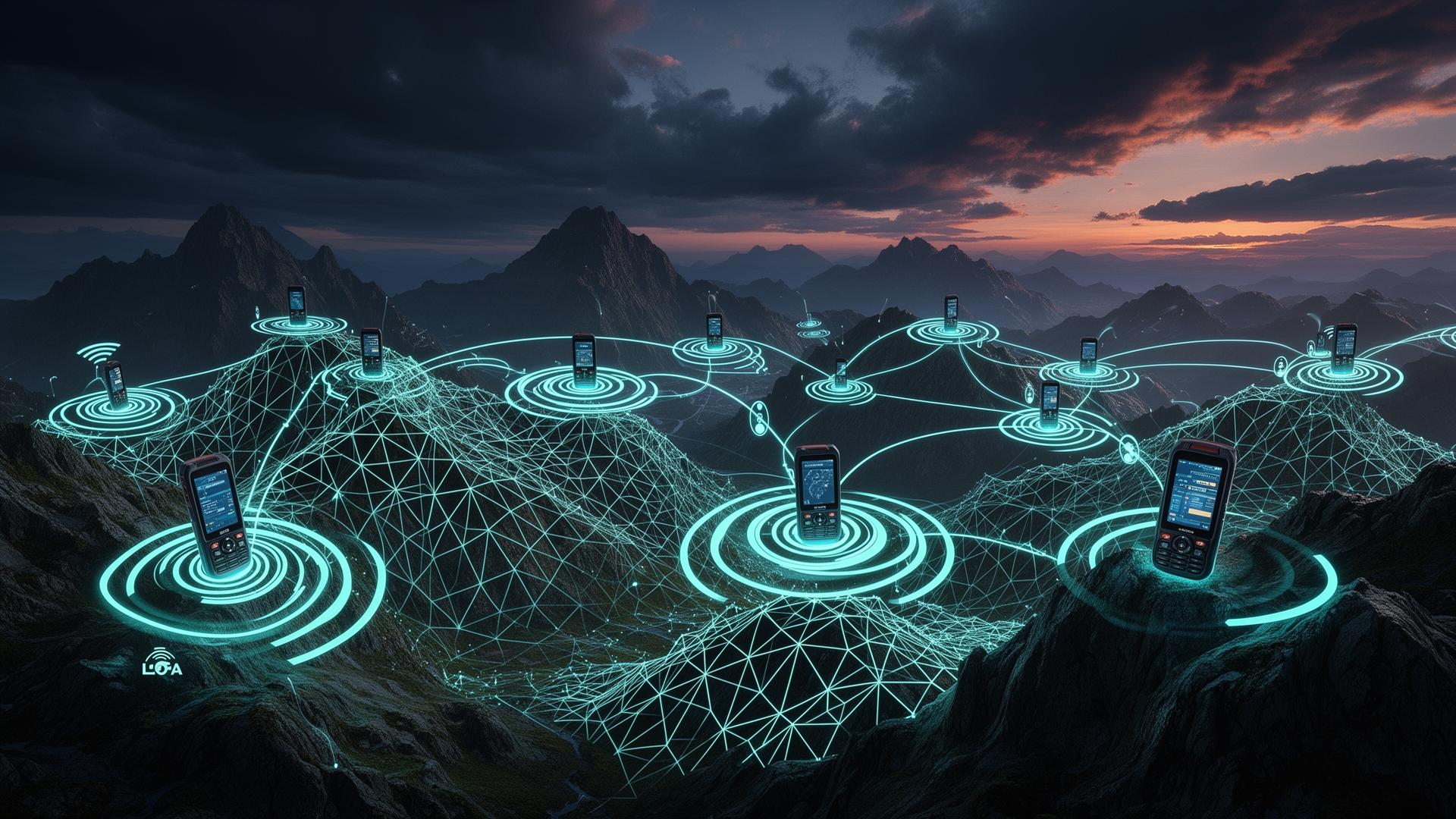
Imagine a communication network with no carrier, no SIM card, no cloud, no subscription, and no single point of failure — one that works on a mountain ridge, in the middle of the ocean, during a natural disaster, or in a country whose government has just shut down the internet. That network already exists, it costs about twenty dollars to join, it runs on open-source firmware, and it is quietly being built by tens of thousands of volunteers around the world. It is called Meshtastic, and it is one of the most important grassroots infrastructure projects of the decade.
What Meshtastic Actually Is
Meshtastic is an open-source project that turns inexpensive LoRa (Long Range) radio modules into a self-healing, encrypted, multi-hop mesh network for text messages, GPS coordinates, telemetry, and small data payloads. Each device — typically a small board based on an ESP32 or nRF52 microcontroller paired with a Semtech SX126x LoRa transceiver — acts simultaneously as a sender, receiver, and relay for every other node it can hear. There is no base station, no master node, and no central server. The network is the devices.
A Meshtastic node pairs with your phone over Bluetooth (or Wi-Fi/USB) and exposes a familiar chat interface in the official Android, iOS, web, or desktop client. You type a message, the phone hands it to the radio, and the radio broadcasts it over the unlicensed sub-GHz ISM bands (868 MHz in Europe, 915 MHz in the Americas, 433 MHz in much of Asia). Any other node within range — which can mean dozens of kilometers with line of sight from a hilltop — receives it, decrypts the channel header, and, if the message has hops remaining, retransmits it. Within a few seconds your message can cross an entire valley, a city, or a small archipelago without ever touching a cellular network or the public internet.
Why LoRa, and Why It Changes Everything
LoRa is a chirp-spread-spectrum modulation invented by Cycleo and acquired by Semtech in 2012. Its magic trick is extracting intelligible signal from noise at incredibly low signal-to-noise ratios — routinely 20 dB below the noise floor. The trade-off is bandwidth: a typical Meshtastic channel moves on the order of 1 to 5 kilobits per second, which is laughable for video but more than enough for thousands of short text messages or position updates per hour.
The real-world consequences are dramatic. A handheld Meshtastic node transmitting at 22 dBm (about 160 mW) can reliably reach 5–15 km in suburban terrain, 30–80 km from a modest hilltop, and world-record amateur experiments have pushed a single LoRa hop over 1,300 km using high-altitude balloons. Battery life on a small 1000 mAh cell is measured in days of active use and weeks in standby, because the radio sleeps between transmissions and the channel-access duty cycle is intentionally low.
The Mesh Routing Layer
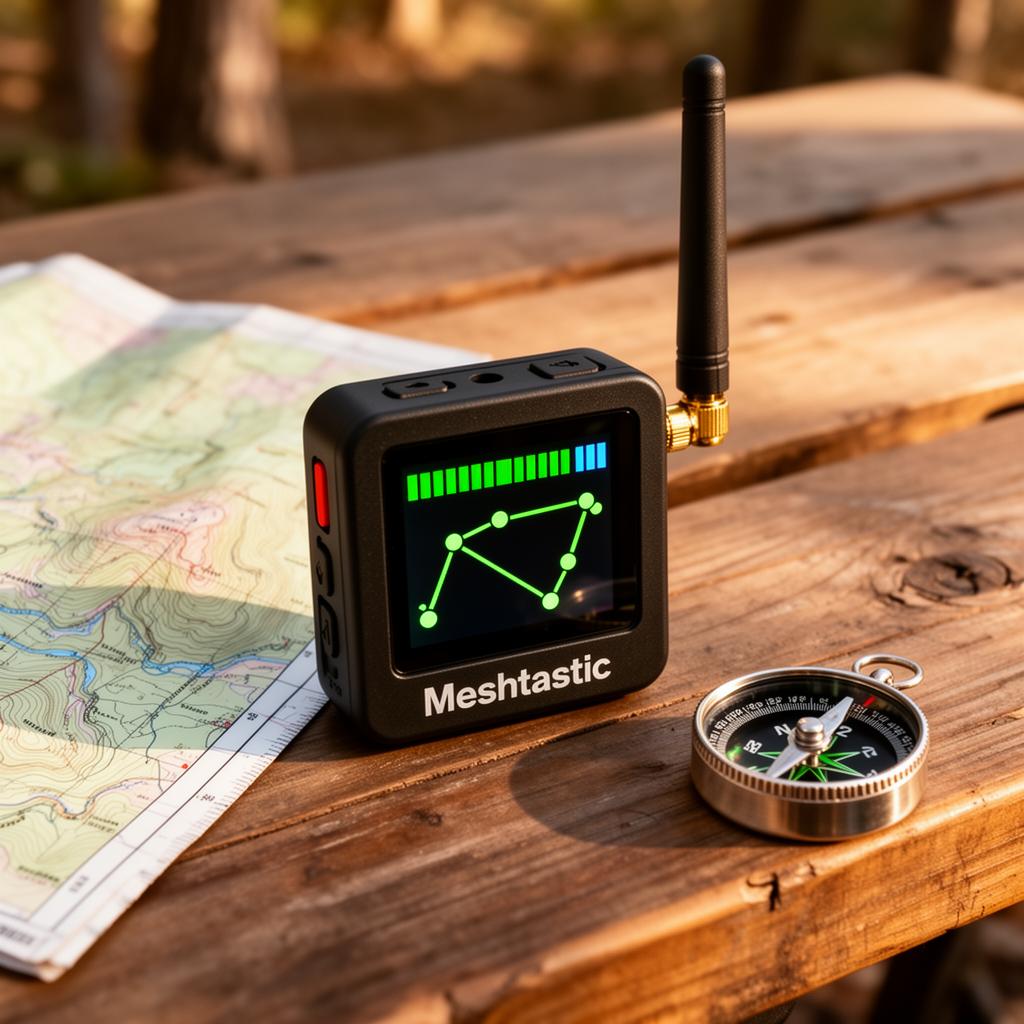
Meshtastic uses a managed-flood routing algorithm rather than a classical link-state or distance-vector protocol. When a node hears a new packet, it waits a short, randomized back-off interval (weighted by signal strength — weaker hearers wait longer, so the strongest relay usually speaks first) and then rebroadcasts. Every retransmission decrements a hop counter, which defaults to 3 and can be raised to 7. Duplicate packet IDs are remembered for a short window so the same message is never relayed twice by the same node. The result is a protocol that is almost stupidly simple, has no routing tables to maintain, recovers instantly when nodes appear or disappear, and degrades gracefully as the network gets dense.
For larger meshes, recent firmware introduced Next-Hop Routing and MQTT bridging. Next-Hop Routing lets nodes learn one-hop neighbors and unicast directly when possible, dramatically reducing airtime in dense urban meshes. MQTT bridging allows any node with internet access to optionally forward packets between geographically separated meshes through a public or private broker — turning Meshtastic into a global federation of local radio meshes when (and only when) the operator chooses to opt in.
Security and Privacy by Default
Every channel in Meshtastic is encrypted end-to-end with AES-256 in CTR mode using a pre-shared key derived from the channel name and an optional PSK. Nodes that do not hold the key can hear the radio waves but cannot decrypt the payload, and from firmware 2.3 onward Meshtastic also supports per-user public-key direct messages using Curve25519, so two specific users can converse privately even on a public channel. Position broadcasts can be precision-reduced (to a city block, a 10 km square, or disabled entirely) on a per-channel basis, which matters when your radio is literally telling everyone in earshot where you are.
There is no account, no phone number, no email, and no identity verification. A node has a randomly generated 32-bit ID and a human-chosen short name. That is the entire identity layer.
Who Is Actually Using It
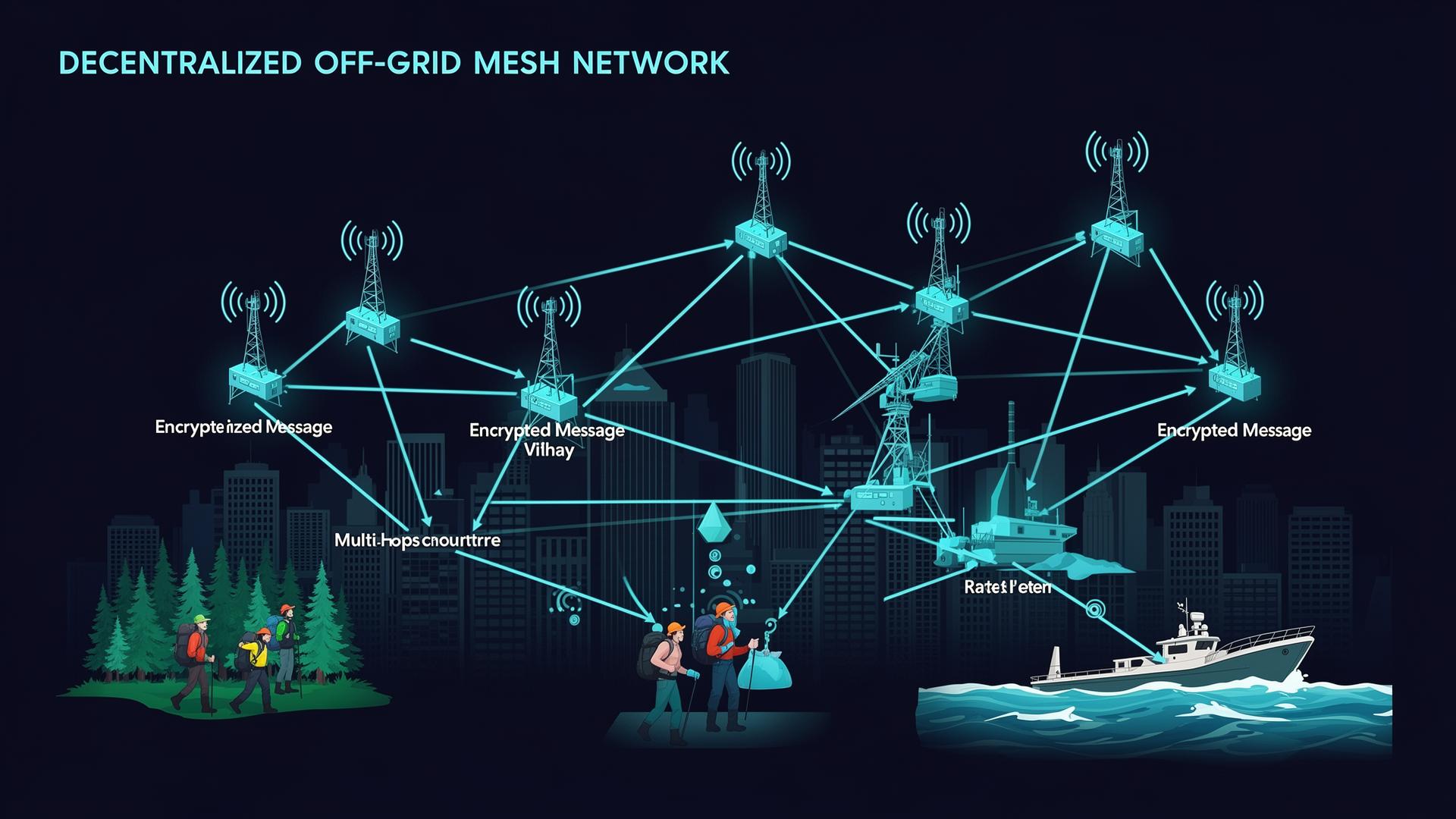
The user base falls into a few clear clusters. Outdoor and emergency communities — search-and-rescue teams, ski patrols, wildland firefighters, sailors, off-grid hikers — use Meshtastic as a cheap, no-subscription alternative to commercial satellite messengers for short-range coordination. Preparedness and resilience groups deploy solar-powered router nodes on towers and rooftops to maintain a working text network during hurricanes, wildfires, and grid failures; the city-wide meshes in Austin, Berlin, Sacramento, and parts of Florida already span hundreds of nodes and have proven themselves in real outages. Civil-society and human-rights operators in countries with frequent internet shutdowns use Meshtastic as a censorship-resistant fallback channel. Hackers, makers, and ham radio operators treat it as the most fun thing to happen to amateur digital modes in twenty years. And a growing number of municipalities and NGOs are piloting Meshtastic for low-cost environmental telemetry, asset tracking, and rural connectivity.
The Hardware Ecosystem
Because the firmware is open and the radio standards are unlicensed, the hardware ecosystem has exploded. Almost every supported board is built around one of two microcontroller families — Espressif's ESP32 (Wi-Fi + Bluetooth, cheap, power-hungry) or Nordic's nRF52840 (Bluetooth only, but extraordinarily low power) — paired with a Semtech SX1262, SX1268 or LLCC68 LoRa transceiver. The board you choose mostly comes down to three questions: do you want built-in GPS, do you care about battery life over weeks vs days, and do you want a finished consumer device or a bare development board to tinker with.
Below is a practical, opinionated tour of the hardware most newcomers actually buy in 2026.
LILYGO T-Beam (the de facto starter kit)
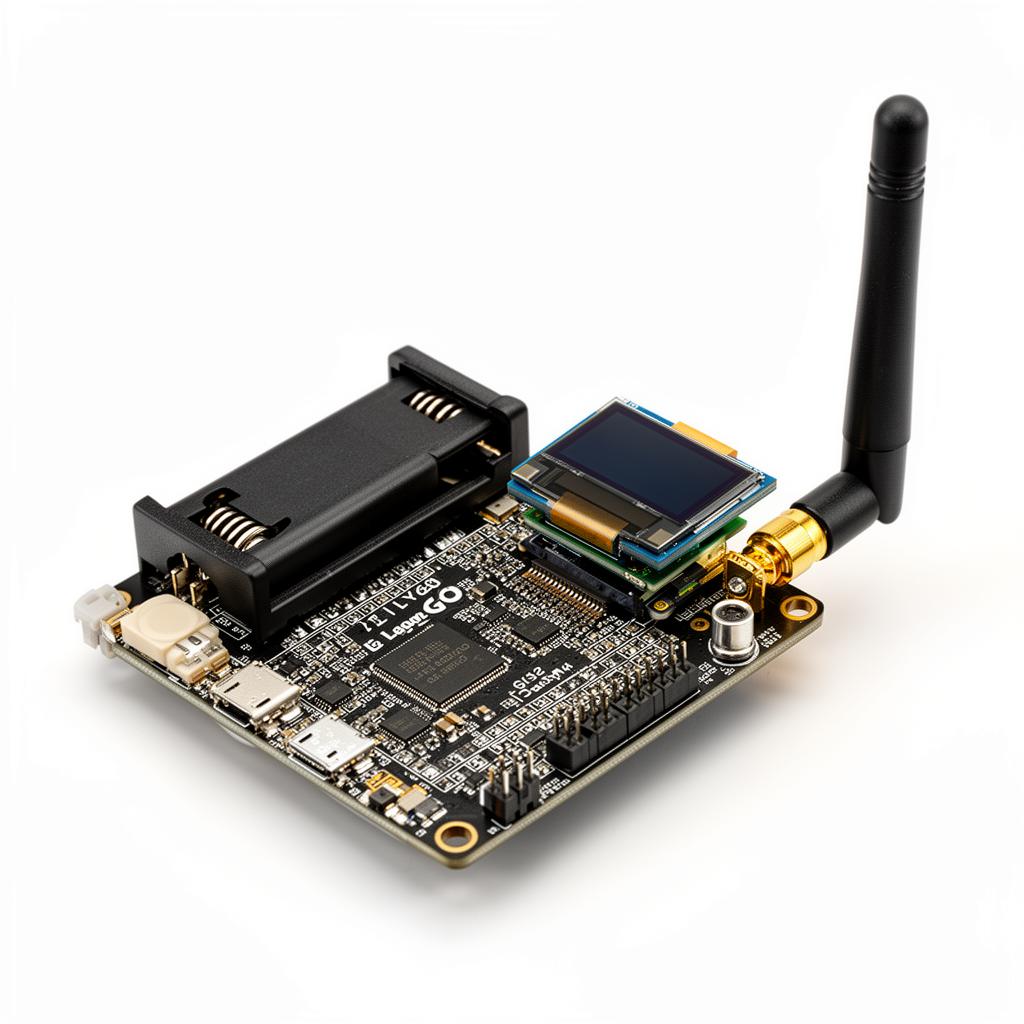
The T-Beam is the board most people recommend first, and for good reason. It bundles an ESP32-S3, an SX1262 LoRa radio, a u-blox NEO-6M or NEO-M8N GPS, a 0.96" OLED, a USB-C port, and an on-board 18650 lithium cell holder onto a single ~75×30 mm PCB. Drop in any protected 18650 cell and you have a fully self-contained, GPS-aware Meshtastic node for around $35–45. It is the closest thing to a "just works" reference design, and the vast majority of online tutorials assume you are holding one.
- MCU / Radio: ESP32-S3 + Semtech SX1262
- Built-in: GPS, OLED, USB-C, 18650 holder, LiPo charger
- Frequencies: 433, 868, 915, 923 MHz variants
- TX power: up to +22 dBm
- Battery life: ~2–4 days active, ~2 weeks standby on an 18650
- Best for: First-time buyers, mobile/outdoor use, learning the platform
Heltec WiFi LoRa 32 V3 (the cheapest entry point)
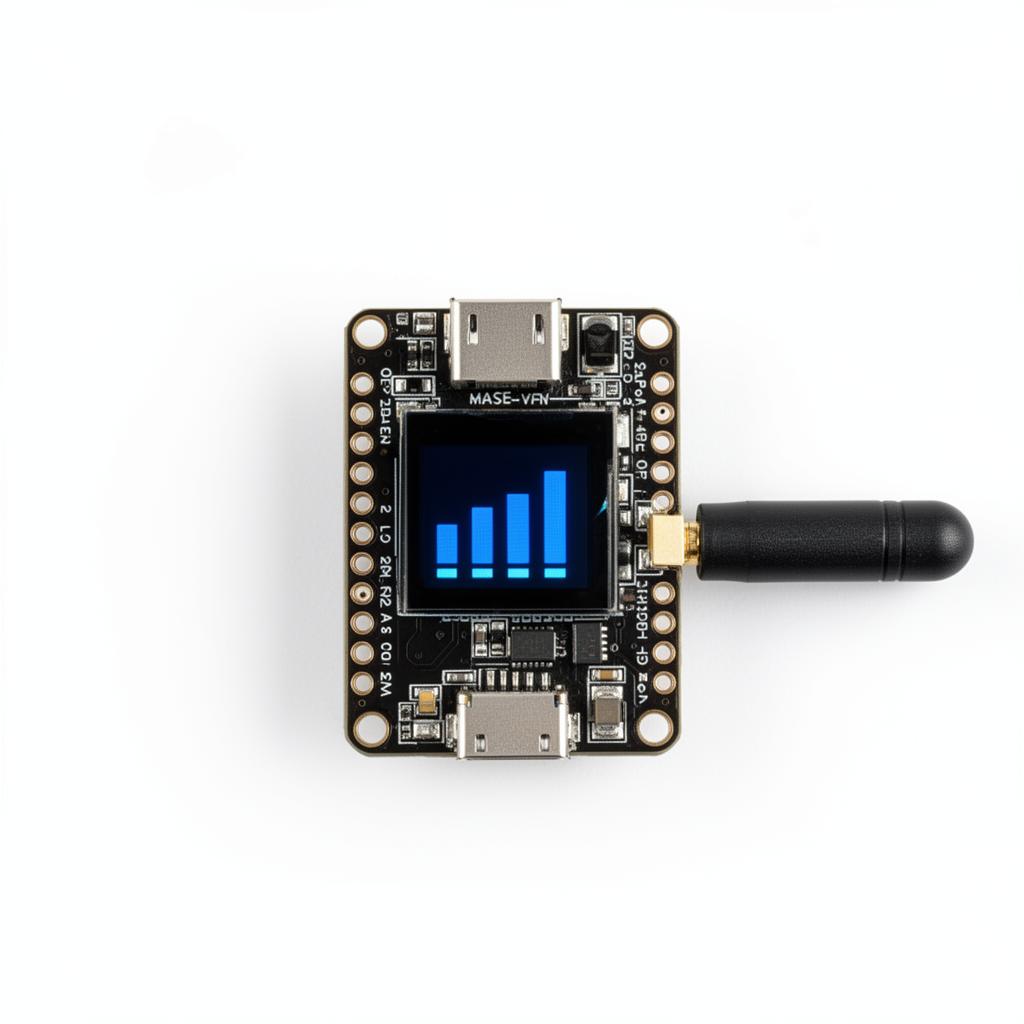
If you just want to see the mesh light up with minimum spend, the Heltec V3 is the answer. It is barely larger than a stick of gum, ships with an SX1262 and a small OLED, and lands at around $15–20 delivered. It has no GPS and no battery holder (a single JST connector accepts a small LiPo), so it is best deployed as a stationary indoor node, a USB-powered repeater, or a second device to test routing with the T-Beam in your other hand.
- MCU / Radio: ESP32-S3 + Semtech SX1262
- Built-in: Small OLED, USB-C, LiPo charger
- No GPS, no battery holder
- Frequencies: 433, 868, 915 MHz variants
- TX power: up to +21 dBm
- Best for: Cheap second nodes, fixed indoor nodes, repeaters
LILYGO T-Echo (the polished pocket device)
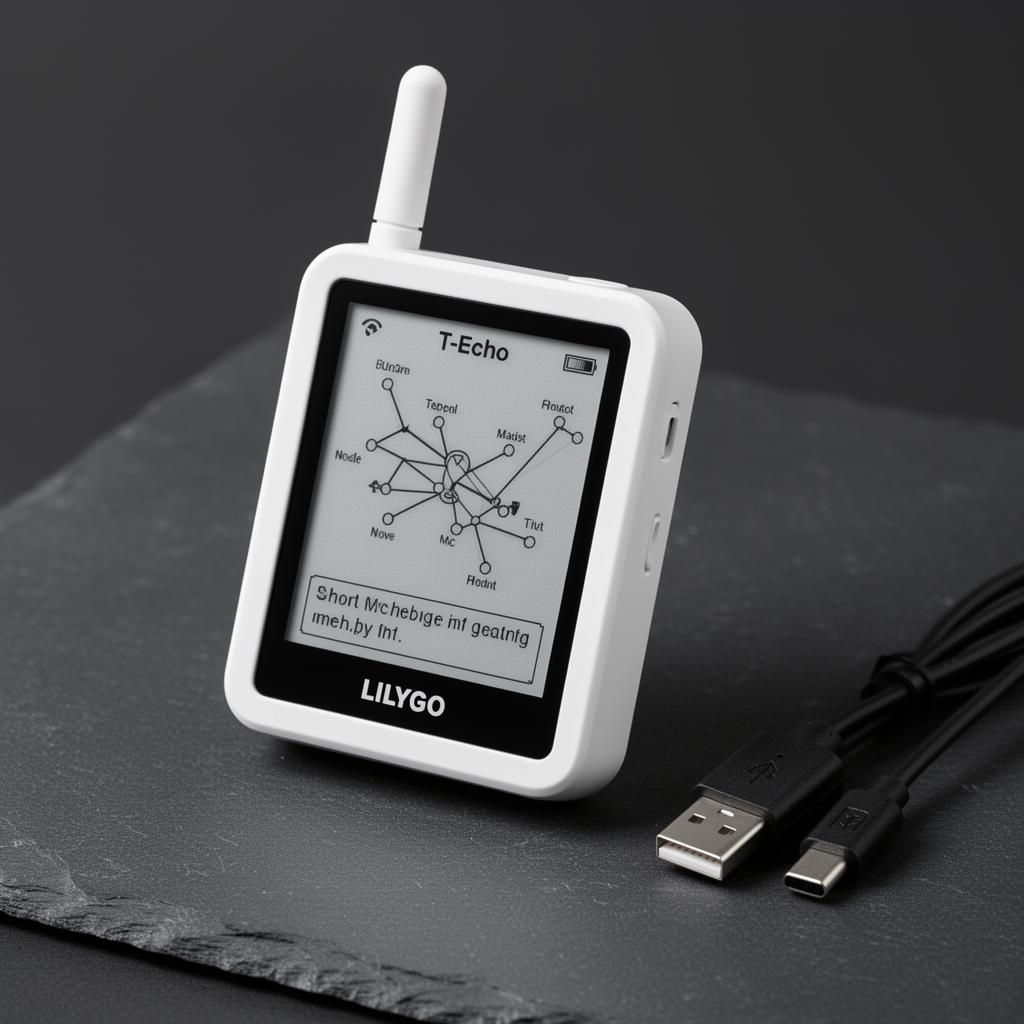
The T-Echo is what Meshtastic feels like when it stops being a dev board and starts being a product. A white plastic enclosure houses an nRF52840, an SX1262 radio, a u-blox GNSS receiver, a 1.54" always-on e-paper display, a buzzer, a 3-axis accelerometer, a vibration motor, and a small built-in LiPo — all in something you can clip to a backpack strap. The nRF52 sips power: a single charge typically lasts 5–10 days of normal use. It is the device most often handed to non-technical family members during outdoor trips. Expect to pay around $70–90.
- MCU / Radio: Nordic nRF52840 + Semtech SX1262
- Built-in: E-paper, GPS, buzzer, accelerometer, vibration motor, LiPo
- Frequencies: 433, 868, 915 MHz variants
- Battery life: ~5–10 days active
- Best for: Hikers, casual users, anyone who wants a finished product
Seeed Studio T1000-E (credit-card-sized GPS tracker)
The T1000-E is a sealed, IP65-rated, credit-card-thin device built around the Nordic nRF52840 and a Semtech LR1110 (which includes a GNSS receiver inside the radio chip itself, saving power). It has a small monochrome screen, a single side button, and onboard NFC for pairing. At around $50–60 it is the most travel-friendly node on the market — slip it into a wallet or passport pocket and forget it is there.
- MCU / Radio: nRF52840 + Semtech LR1110 (LoRa + multi-band GNSS)
- Built-in: Tiny LCD, GPS, NFC, sealed enclosure (IP65)
- Frequencies: Multi-region in a single SKU
- Battery life: ~7–14 days active
- Best for: Travel, asset tracking, slim everyday-carry
RAK WisBlock 19007 / 4631 (the modular router builder)
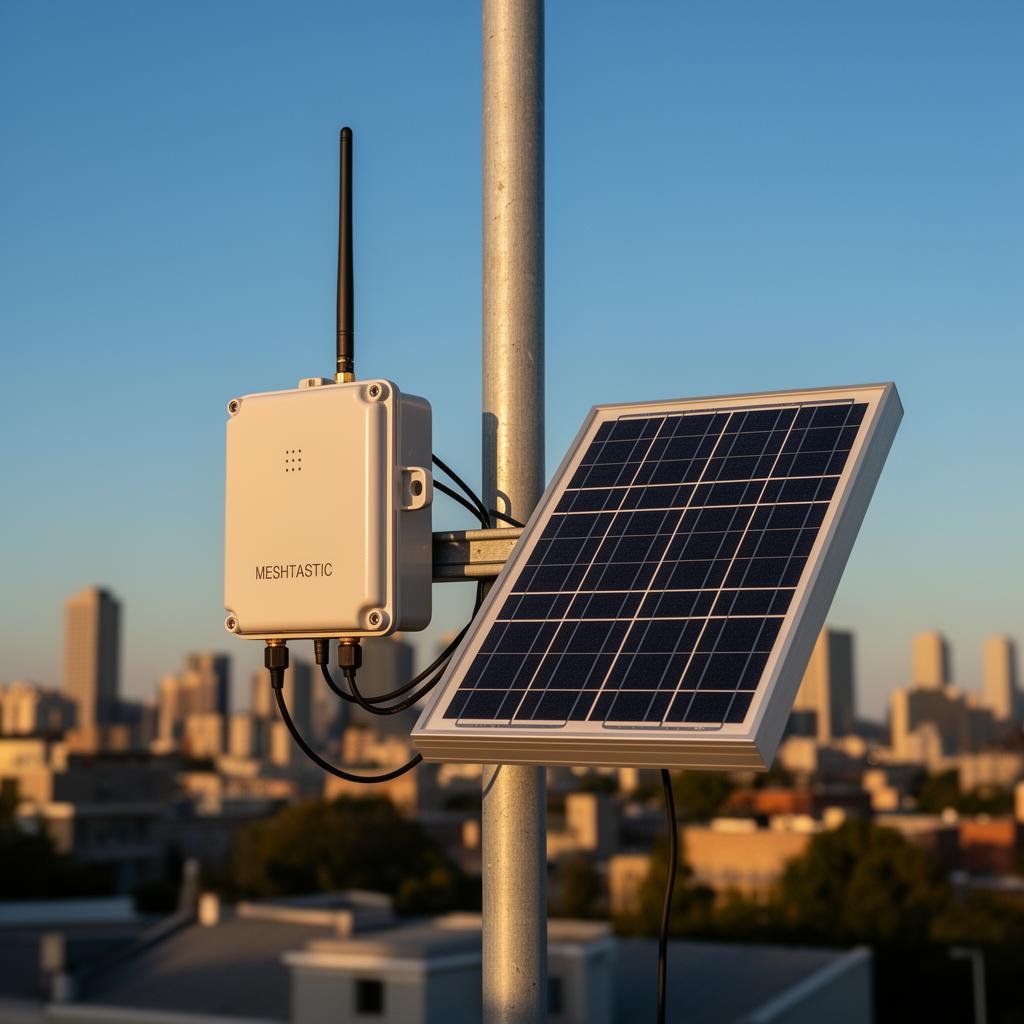
RAK's WisBlock system is a tiny baseboard with snap-in modules: pick an MCU module (nRF52840 or ESP32), a LoRa module (SX1262 / LR1110 / SX1280), and any combination of GPS, environmental, or sensor modules. It is the standard platform for serious solar repeater nodes because the nRF52 + SX1262 combo idles at well under 100 µA, which means a 5–10 W solar panel and a small LiFePO4 battery can keep a router alive on a rooftop indefinitely. Plan on around $40–70 for the baseboard plus modules.
- MCU / Radio: Modular — typically nRF52840 + SX1262
- Built-in: Battery connector, solar input, optional GPS/sensors
- Frequencies: Module-dependent, every region covered
- Best for: Outdoor solar repeaters, custom industrial deployments
Station G2 and other long-range router boards
For dedicated, mains-powered "always on" mesh routers, the Station G2, Heltec Mesh Pocket, and various RAK gateway boards offer higher-gain antenna connectors, larger heatsinks, and ethernet/MQTT bridging out of the box. These are the boards typically mounted in attic spaces or on rooftop poles to anchor a city-wide mesh.
Hardware comparison at a glance
- Cheapest to try: Heltec V3 (~$18) — no GPS, indoor/USB use
- Best all-rounder: LILYGO T-Beam (~$40) — GPS, 18650 cell, the tutorial default
- Best polished pocket device: LILYGO T-Echo (~$80) — e-paper, days of battery
- Best slim everyday-carry: Seeed T1000-E (~$55) — sealed, GNSS, NFC
- Best solar repeater base: RAK WisBlock 4631 (~$50 + modules) — ultra-low-power nRF52
- Best fixed rooftop router: Station G2 / RAK gateway boards (~$80–150)
Compatibility & Buying Guide Checklist
Before you click buy, run through this checklist. Getting the region, antenna, or battery wrong is the most common reason a new node underperforms or arrives DOA.
Region & Frequency Band
- Identify your legal frequency: 868 MHz (Europe, UK, most of Africa), 915 MHz (North America, Australia, most of South America), 433 MHz (Asia-Pacific, Middle East, some EU legacy), or 923 MHz (Japan, South Korea, some ASEAN). Ordering a 915 MHz board for Europe will work physically but is illegal to power on.
- Check local duty-cycle limits: The EU enforces a 1% or 10% duty cycle on 868 MHz; the US is far more permissive on 915 MHz. If you plan heavy telemetry, know your local regulator's LoRa limits (ETSI, FCC, ARIB, etc.).
- Buy the region-specific variant: Every major board (T-Beam, Heltec, T-Echo) is sold in 433/868/915 MHz SKUs. The radio front-end is tuned at the factory; you cannot reconfigure it in firmware.
Antenna Compatibility
- Match the connector: Check your board's antenna port before ordering anything. T-Beam and Heltec V3 typically use SMA male (or RP-SMA). T-Echo uses IPEX/u.FL internally. RAK WisBlock modules vary by SKU. A $50 antenna with the wrong connector is useless.
- Match the frequency: An 868 MHz antenna on a 915 MHz radio will create high SWR and can damage the radio stage. Always buy antennas rated for your exact band.
- Choose gain vs. portability: 2–3 dBi rubber duck whips are fine for handheld use. 5–6 dBi collinear or slim-jim antennas are the sweet spot for home/vehicle nodes. 8–9 dBi Yagis or log-periodics are for fixed directional links.
- Polarization matters: Most Meshtastic nodes use vertical polarization. If you mount a high-gain antenna, mount it vertically. A horizontally polarized antenna will lose ~20 dB talking to a vertical one.
- Plan the cable: If you separate antenna from board (e.g., rooftop), use quality LMR-400 or equivalent coax and keep the run under 5 meters if possible. Every meter of cheap RG-58 loses precious dB at sub-GHz.
Antenna Connector Diagrams
Use these simple side-view diagrams to identify what's actually sticking out of your board before you order antennas or pigtails. The pin layout is what tells SMA apart from RP-SMA — the housing looks identical.
SMA male (board side, common on T-Beam / Heltec V3)
                    ___
       threads     |   |
   ===============O| ● |   <- center PIN
   ===============|| _ |
                  |___|
   Mates with: SMA female antenna (has a hole / socket)

RP-SMA male (reverse-polarity, some Heltec / RAK SKUs)
                    ___
       threads     |   |
   ===============O|   |   <- center HOLE (no pin)
   ===============|| _ |
                  |___|
   Mates with: RP-SMA female antenna (has a pin)

IPEX / u.FL (T-Echo, many RAK WisBlock modules)
        _____
       |  o  |   tiny 2 mm snap-on socket on PCB
       |_____|   needs an IPEX -> SMA pigtail to use
                 external antennas

N-type (rooftop gateways, long coax runs)
       _________
      |    _    |
      |   |●|   |  large weatherproof threaded connector
      |___|_|___|  pairs with LMR-400 class coax
Hardware Compatibility Callouts
- LILYGO T-Beam (433/868/915 MHz): SMA female on the board → use an SMA male antenna. Center pin visible on the antenna. Avoid RP-SMA "WiFi router" antennas — they will screw on but won't make contact.
- Heltec WiFi LoRa 32 V3: Most SKUs ship with IPEX/u.FL on-board and a short IPEX → SMA female pigtail in the box. Plug your SMA male antenna into the pigtail; never solder the antenna directly to the board.
- LILYGO T-Echo: IPEX/u.FL only, no external SMA. To use a high-gain antenna, add an IPEX → SMA female pigtail routed out of the case. Strain-relief the pigtail or the u.FL socket will tear off the PCB.
- Seeed T1000-E: Sealed enclosure with an internal PCB antenna — no connector exposed. Compatibility is "what's in the box." Great for pocket carry, not upgradable.
- RAK WisBlock 4631 / 19007: Varies by baseboard. Most carrier boards expose IPEX, some breakout boards expose SMA. Check the exact SKU's datasheet before ordering antennas — RAK does not standardize.
- Station G2 / RAK gateway boards: N-type female on the chassis for outdoor coax runs. Use N-male → LMR-400 → N-male → antenna. Do not adapt down to SMA for runs over 1 m; the loss eats your link budget.
Quick mating reference
 Board connector     Antenna you buy        Notes
 ---------------     ------------------     -----------------------------
 SMA female          SMA male (pin)         T-Beam default
 RP-SMA female       RP-SMA male (hole)     Some Heltec/RAK SKUs
 IPEX / u.FL         IPEX -> SMA pigtail    T-Echo, most WisBlock
 N-type female       N-type male            Gateways, rooftop installs
Golden rule: photograph your board's antenna port, zoom in, and confirm pin vs. hole before paying for any antenna. A $2 wrong-gender adapter will save you a $25 return shipment.
Battery Type & Power
- For mobile nodes: Use protected 18650 Li-ion cells (T-Beam) or built-in LiPo (T-Echo, Heltec). Unprotected cells can over-discharge and swell. Buy from reputable brands (Panasonic NCR, Samsung 35E, LG MJ1) — counterfeit 18650s are everywhere.
- For solar repeaters: Use LiFePO4 (lithium iron phosphate) packs. They tolerate 60°C rooftop heat, last 2,000+ cycles, and are far safer than Li-ion in unattended outdoor enclosures. A 20 Ah LiFePO4 + 10 W panel + small charge controller will run an nRF52 repeater indefinitely.
- For fixed indoor nodes: A 5 V USB wall wart is fine. Add a small USB UPS (like a PiJuice or simple power-bank pass-through) if you want runtime during blackouts.
- Always include a drip loop: For any outdoor power cable, coil the cable below the enclosure entry so water drips off instead of running inside.
Printable First-Order Checklist
- I have confirmed the correct frequency band for my country/region.
- I have checked whether my chosen board needs SMA, RP-SMA, IPEX, or N-type antennas.
- I have ordered at least one antenna rated for my exact frequency.
- If buying a T-Beam, I have ordered protected 18650 cells from a reputable brand.
- If building a solar repeater, I have specified LiFePO4, not Li-ion.
- If mounting outdoors, I have an IP65+ enclosure and a plan for cable sealing.
- I have a USB-C data cable (not just charge-only) for firmware flashing.
- I have verified the board SKU matches my region before checkout.
Antennas, batteries, and enclosures — the parts that actually decide range
The chipset matters less than people think. What actually decides whether you reach the next valley is the antenna, the mounting height, and (for outdoor nodes) weatherproofing. A few practical rules of thumb:
- The stock 2–3 dBi rubber duck antenna that ships with most boards is fine for proving the device works, but always plan to upgrade. A $15 collinear fiberglass antenna mounted three meters off the ground often doubles or triples usable range.
- Height beats power. A +5 dBm node on a roof will out-perform a +22 dBm node on a desk every time.
- For LoRa, SMA connectors are common but not universal — check whether your board needs SMA, RP-SMA, IPEX/u.FL, or N-type before ordering antennas and cables. Mismatched connectors are the single most common newcomer mistake.
- Outdoor nodes need an IP65 or better enclosure with a drip loop on the cable entry. Condensation kills more rooftop nodes than lightning.
- For battery-powered solar routers, prefer LiFePO4 chemistry over lithium-ion: it tolerates rooftop heat far better and lasts thousands of charge cycles.
What to actually buy if you are starting today
A pragmatic shopping list for a first-time user who wants to do this properly:
- One LILYGO T-Beam in your region's frequency band (around $40)
- A 3 dBi or 5 dBi SMA antenna appropriate for that frequency ($10–20)
- A pair of protected 18650 lithium cells and a USB-C charger ($15)
- Optional: a second Heltec V3 (~$18) so you can prove multi-hop routing on your own desk
Total damage: roughly $80–100 to have a real, working two-node mesh you can carry into the field on day one.
How to Join the Mesh in an Afternoon
The on-ramp is genuinely friendly. Buy any supported board for your region's frequency, plug it into a computer, and visit flasher.meshtastic.org in a Chromium-based browser. The web-serial flasher installs the latest firmware in about ninety seconds. Install the Meshtastic app on your phone, pair over Bluetooth, choose a region, optionally join the LongFast default channel (the global public channel most newcomers start on), and you are now a node on the mesh. If anyone else is within range, you will see them appear on the node list within minutes. If you live somewhere with no existing coverage, you have just become the first node of a future local mesh — which is exactly how every existing mesh started.
A 10-minute first-boot checklist
- Flash the latest stable firmware for your exact board model — wrong-model firmware will brick the radio frontend.
- Set the correct region (US, EU_868, EU_433, CN, JP, ANZ, etc.). Wrong region = illegal transmission and broken range.
- Pick a short, unique node name (max 4 characters) so others can recognize you on the map.
- Decide on a LoRa modem preset: LongFast is the default and a sensible balance; LongSlow roughly doubles range at the cost of throughput; MediumFast is better for dense urban meshes.
- If you care about privacy, create your own private channel with a strong PSK and share the channel QR code only with trusted contacts.
- Enable Bluetooth PIN pairing on the device so a stranger cannot pair with your radio.
- Reduce position precision if you do not want your exact GPS coordinates broadcast every few minutes.
Limitations You Should Know About Going In
Meshtastic is not a cellular replacement and was never designed to be. Bandwidth is tiny, so no images, no voice, no real-time anything beyond short text and telemetry. Latency on a multi-hop path is measured in seconds, not milliseconds. The unlicensed bands enforce duty-cycle limits (especially strict in Europe) which cap how much any single node can transmit per hour. Dense urban radio noise can hurt range significantly. And because the protocol is flood-based, very large meshes (hundreds of nodes in radio range of each other) require careful channel and hop-limit tuning to avoid congestion — though the Next-Hop Routing work is rapidly addressing this.
The Software and App Ecosystem
The official Meshtastic Android, iOS, web, and desktop clients cover the majority of users, but a healthy third-party ecosystem has grown around the open protocol. Meshtastic Web runs entirely in the browser via Web Bluetooth or Web Serial. MeshSense, Meshtastic.js, and Pymeshtastic give developers JavaScript and Python bindings for building custom dashboards, sensor pipelines, and AI-assisted message triage. Public map services like meshmap.net and MeshSense Map visualize opted-in nodes worldwide and are the easiest way to discover whether your city already has a mesh you can join.
Why It Matters
For most of the last thirty years, every major leap in personal communications has made us more dependent on a small number of carriers, clouds, and chokepoints. Meshtastic points in the opposite direction. It is a working demonstration that a useful, encrypted, intercontinental communication network can be assembled out of $20 radios, volunteer time, and open-source code — with no permission required from any authority and no monthly bill paid to anyone. It will not replace your phone. It does not need to. What it offers is something the centralized stack structurally cannot: a network that still works on the day everything else stops.
That alone makes it worth a node on your shelf, your backpack, and ideally your roof.